How it works
From question to decision — seven steps
What matters here is not the architecture of the models but the workflow: what happens after you ask a question.
You ask a question
In the language you're comfortable with, in your own words, with a document or photo if needed.
BauWalker recognises the context
Which project it concerns and which documents belong to it.
The system searches the right sources
Your documents, project information, German legal and technical sources.
It checks the information found
Compares data and separates what is documented from guesswork.
It shows documents and sources
Which files, passages and norms were used for the answer.
It creates an answer or an action draft
Explanation, letter, invoice, minutes or justification of a Nachtrag.
You review and decide
The document can be edited before it is sent or used.
Example in the app
Example: a request to redo work after acceptance
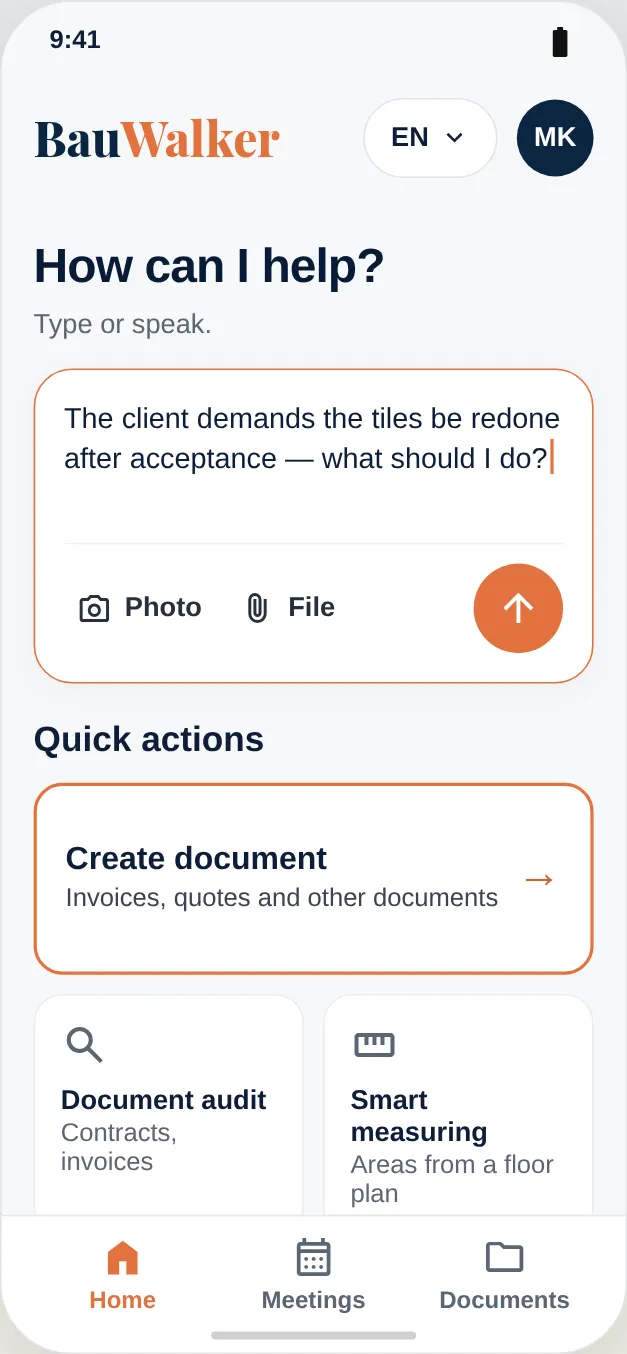
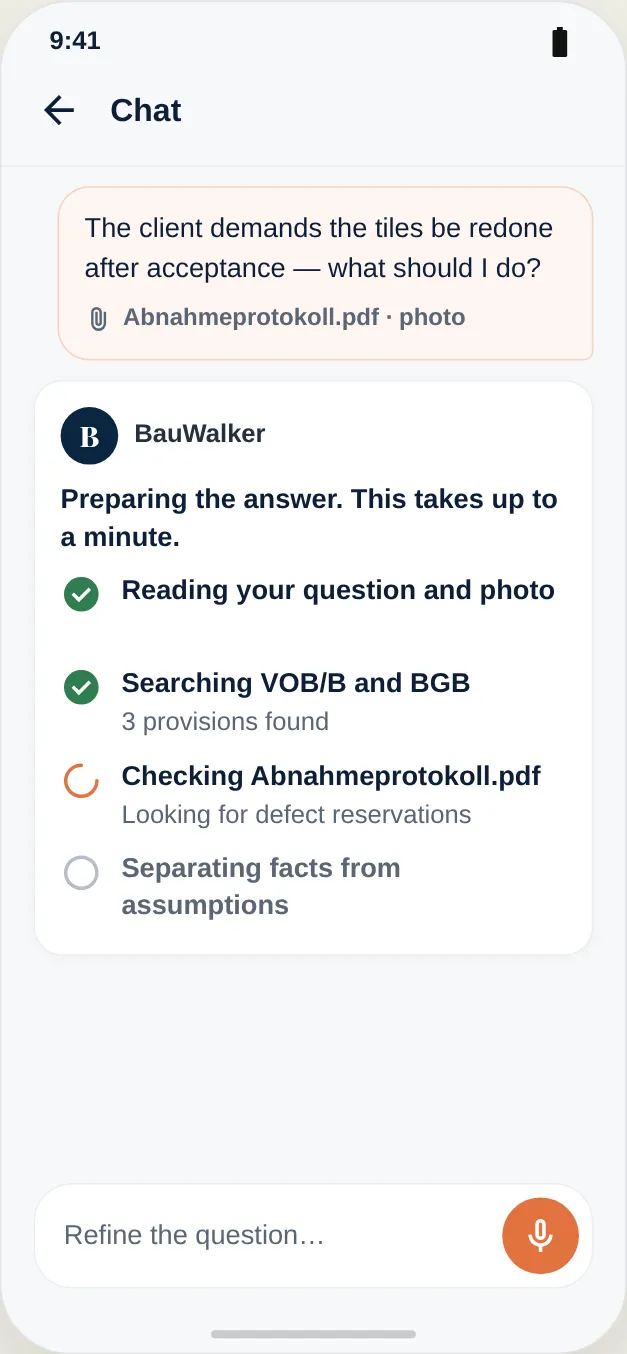
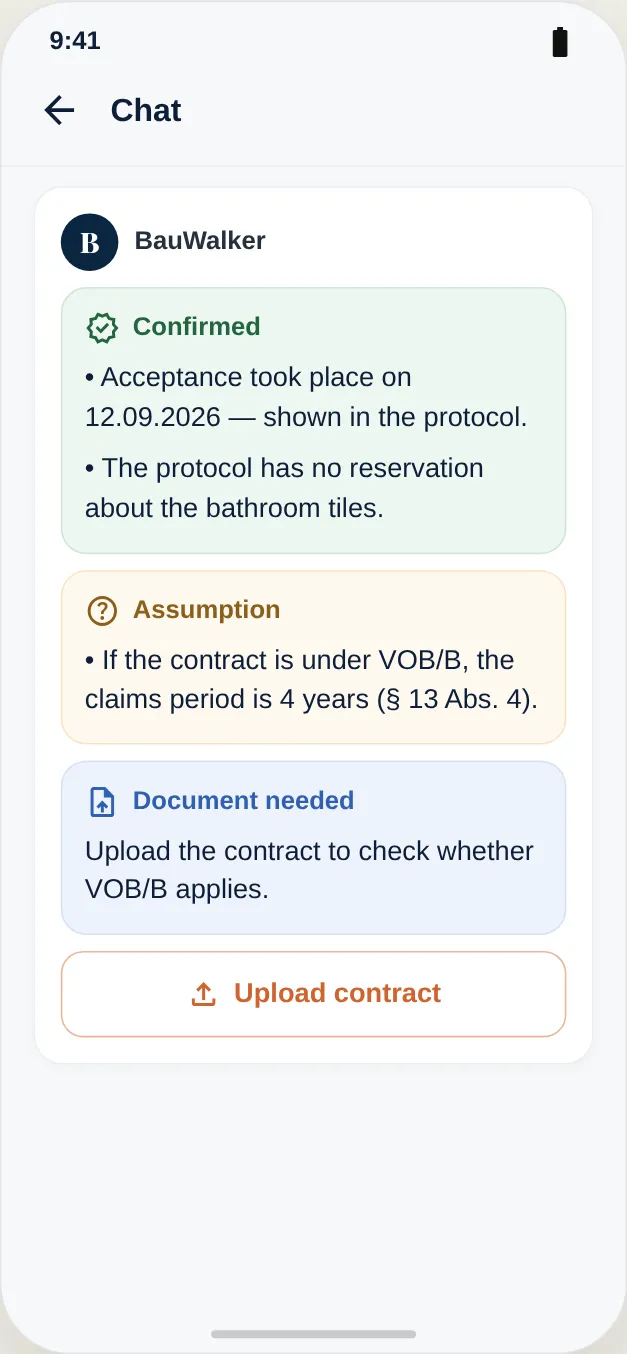
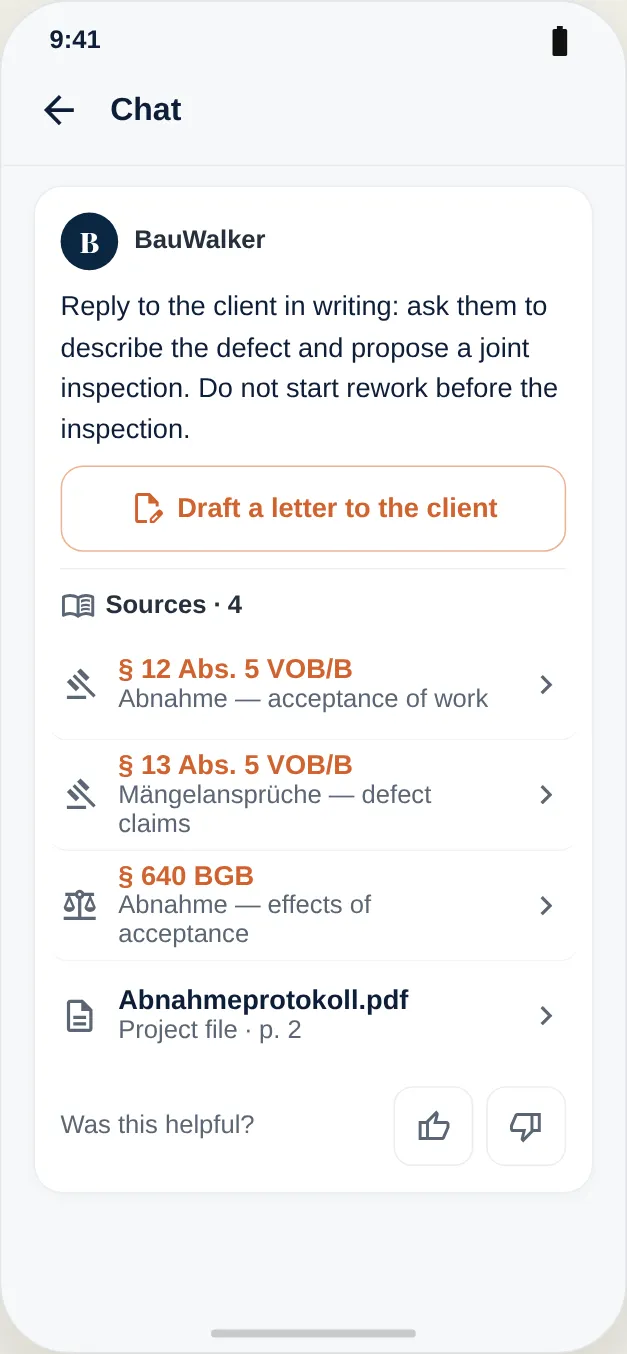
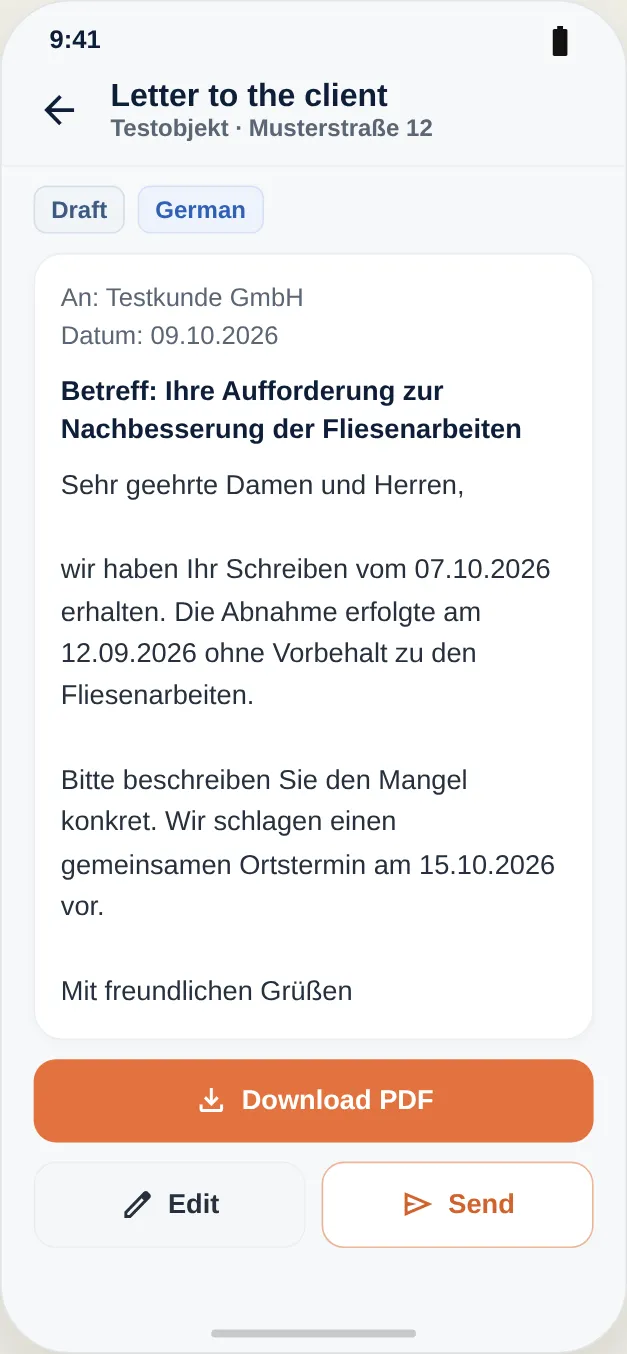
More than a chat
The same way of working for files, contracts, plans and meetings
What BauWalker does with a question, it also does with your documents: read, check, cite sources – and leave the decision to you.
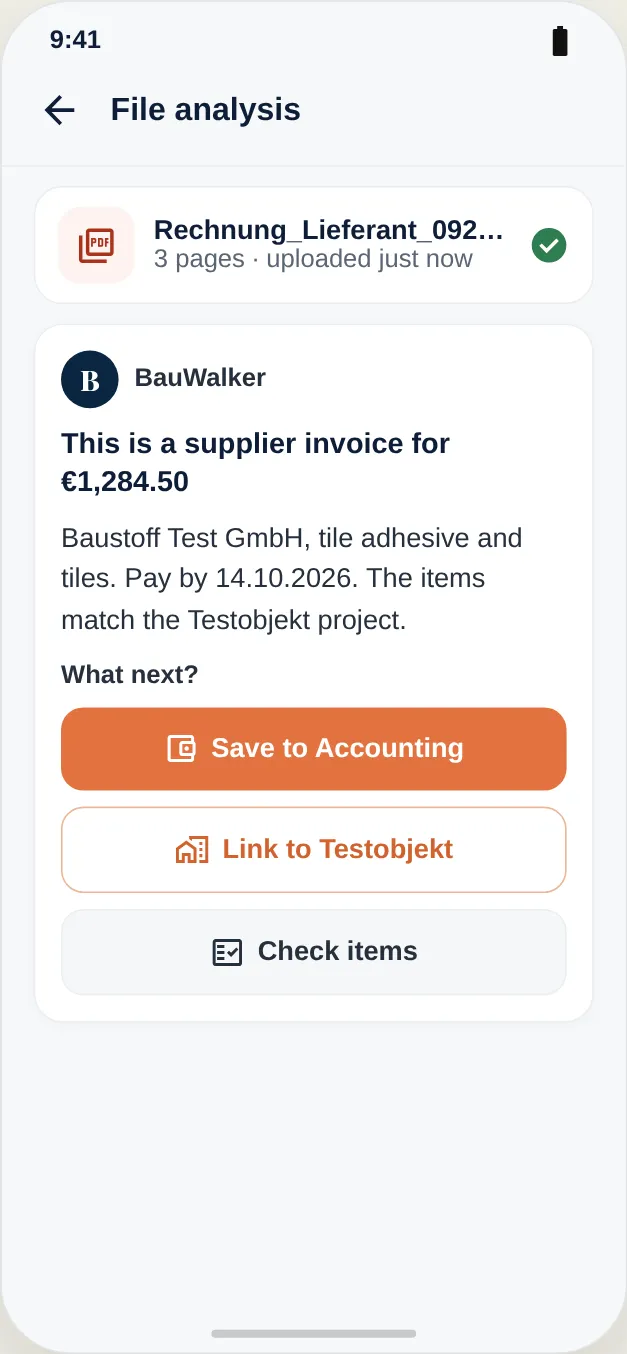
Read files
Upload an invoice or letter: BauWalker explains what it says and suggests the next steps.
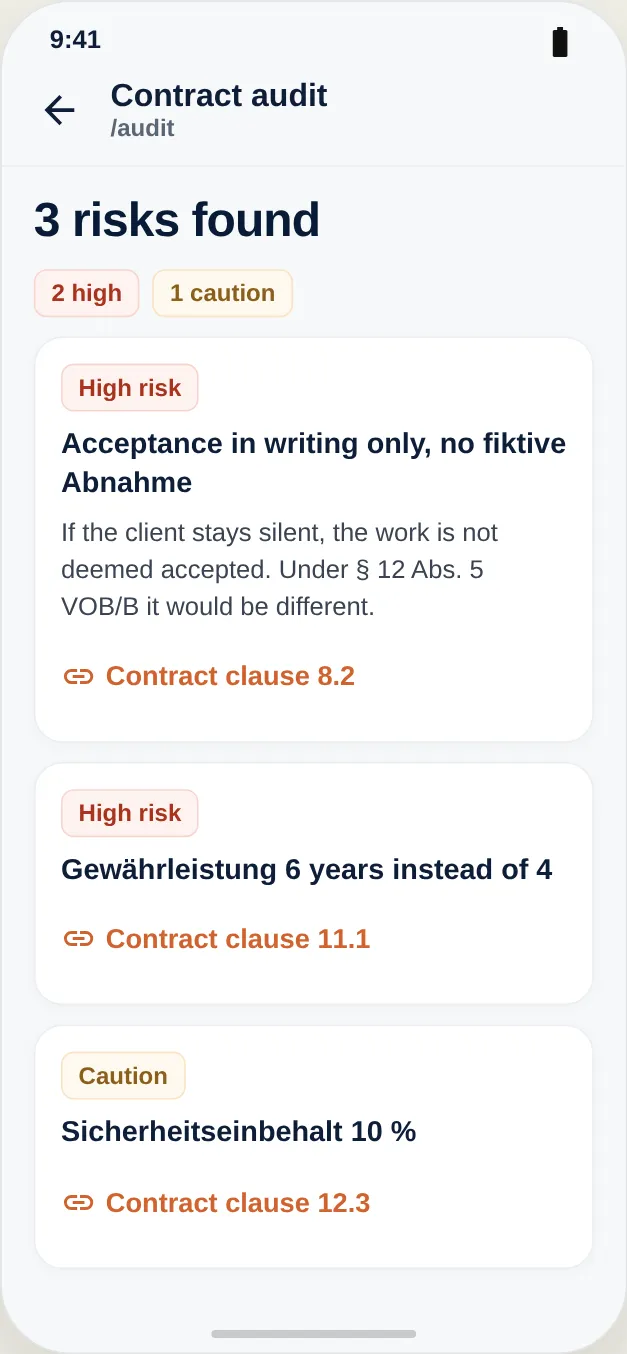
Check contracts
Risks with the reference in the contract, cross-checked against VOB/B and BGB.
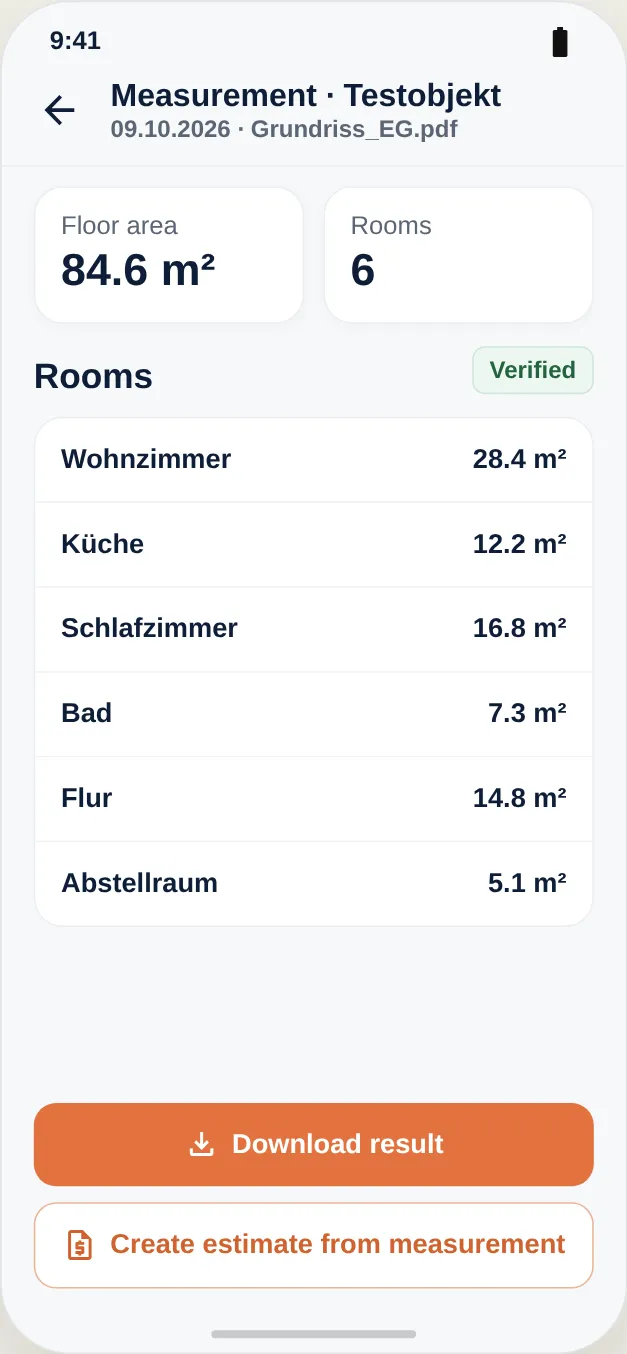
Aufmaß with AI
Rooms and areas from the plan – to review and as a basis for the quote.
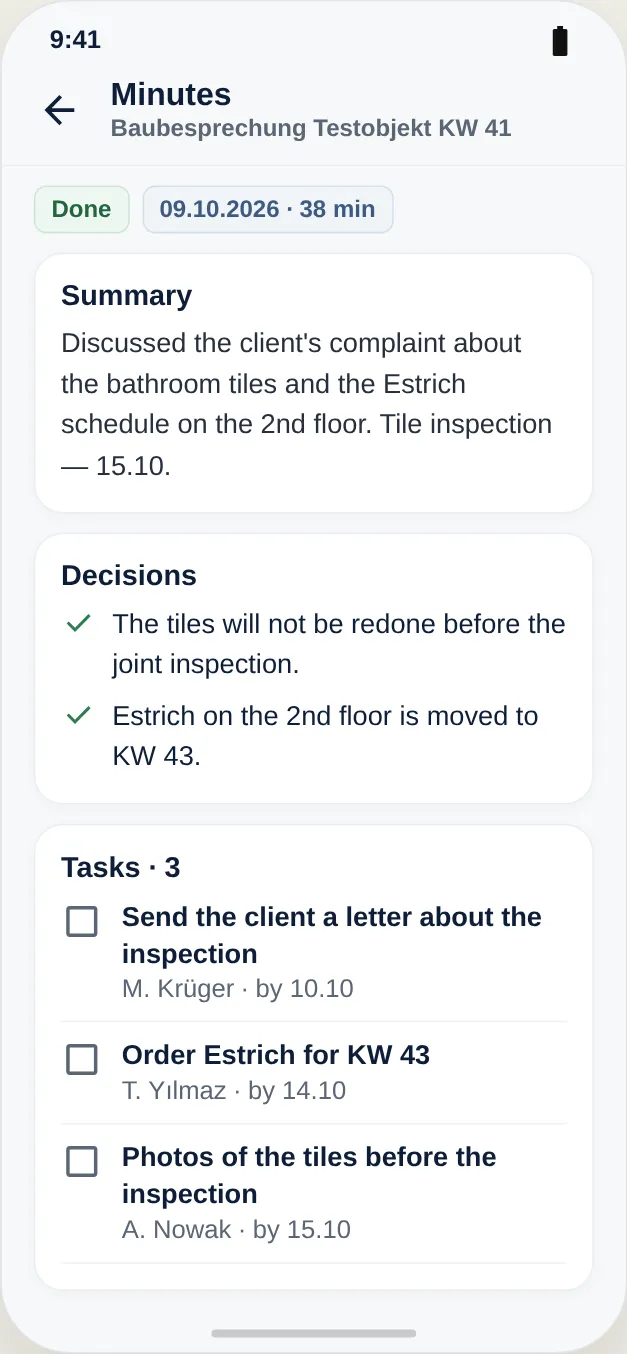
Meetings
Upload a recording or record directly: minutes with decisions and tasks.
All sample data shown in the screens is fictitious.
Why this is not an ordinary chat
Context, sources and access rights
An ordinary chat
- does not know your project and its documents
- does not know the agreements with the client
- does not show the source of the answer
- does not take access rights into account
BauWalker
- works in the context of the respective construction project
- draws on your documents and German norms
- names the source of the answer
- respects access separation by organisation and role
If there is no reliable basis, the system says so and suggests uploading another document – instead of inventing an answer.
Keep reading
Create documents
Invoice, quote, change order, letter and acceptance report: you describe the task in your language, BauWalker prepares the document in German.
Contract review
Upload a construction contract: BauWalker checks it against VOB/B and BGB and shows risks with a reference to the contract clause.
Aufmaß with AI
Upload a plan: rooms and wall and floor areas are read from PDF, DWG and DXF. Living area calculation according to WoFlV.
Meetings
Record a meeting or upload audio: minutes with summary, decisions and tasks.
Projects and documents
Documents organised by project: contracts, quotes, invoices and minutes in one working context, with clear separation of data.
German regulations
Questions on VOB/B, BGB and other regulations: the answer cites the source and separates what is verified from assumptions.
Show us a task – and we'll show you how BauWalker can work with it.
BauWalker helps you understand the situation faster, but does not replace a lawyer, Steuerberater or other qualified professional.