For site managers and project managers
Less searching. Faster decisions.
You need to keep project status, contractual obligations, meeting decisions, deadlines and financial risks in view quickly – instead of hunting for the right passage in the correspondence.
Work scenarios
Seven questions that otherwise often eat up half a day
Find an obligation in the contract
What exactly you owe and what the client owes, and which contract clause it is based on.
Check project status
What has happened on site, which decisions were made and what is still open.
Pull tasks from the minutes
From the recording or transcript of a meeting: tasks, responsible persons and deadlines.
Find open questions
Disputed points and agreements without confirmation.
Prepare a report
Draft project report based on the documents and the decision history.
Review a Nachtrag
Original scope, change, basis and draft justification.
Find out who approved a decision and when
The history of actions and the document in which the decision is recorded.
Important
Always an answer with a reference to the document
For important answers, the system states which documents, passages or sources were used, and separates facts from assumptions. If data is missing, BauWalker says so instead of making up an answer.
From everyday work
Three situations on the construction site
Meeting on site: who does what by when?
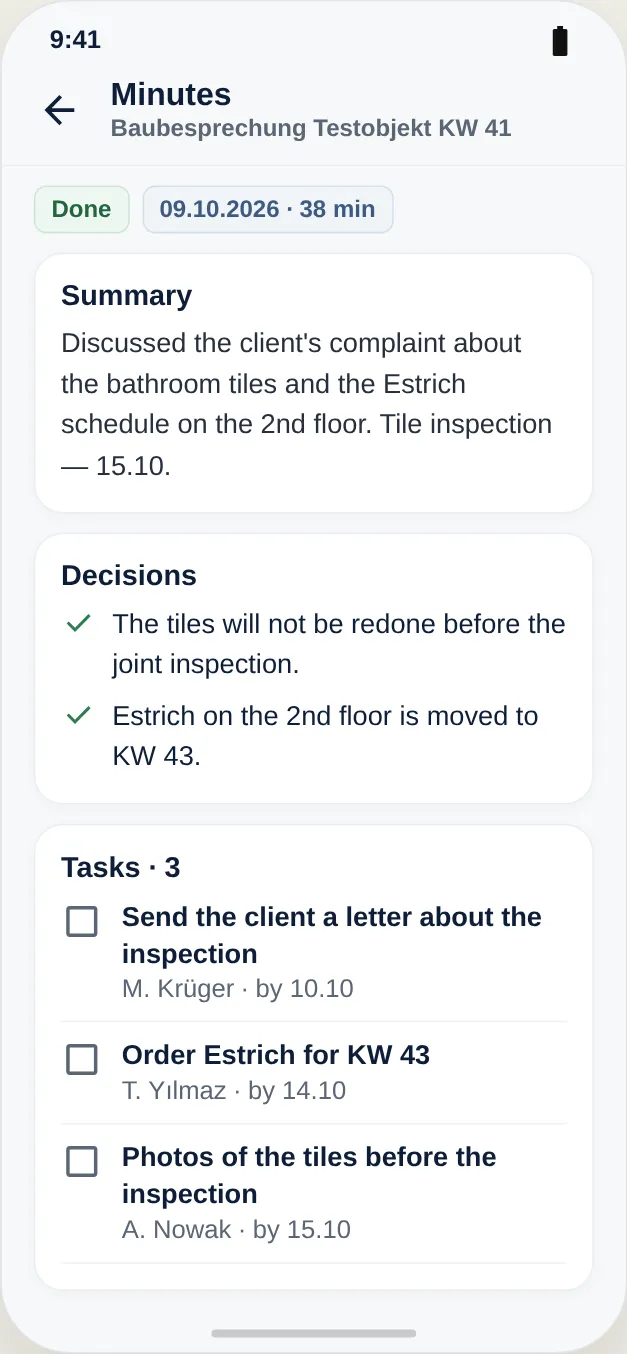
Record the meeting or upload an audio or video file. BauWalker creates minutes with a summary, decisions, and tasks with owners and deadlines.
Learn more: Recording site meeting minutes: from conversation to task list →
A subcontractor wants to bill for additional work
The documents are stored with the project. BauWalker helps prepare the change order with a justification and shows which passages in the contract the answer is based on.
Learn more: How does a Nachtrag work in a construction contract? →
The plan needs to be turned into areas quickly
Upload the floor plan. BauWalker reads rooms and areas from PDF, DWG or DXF and makes them available for review.
Learn more: Aufmaß from the plan: determining rooms and areas from the drawing →
Frequently asked questions from site managers
Where can I find agreements and decisions later?
Minutes and documents stay with the project. In the chat, you can ask what was agreed.
Am I allowed to record meetings?
Only if all participants agree (§ 201 StGB). That is why BauWalker asks for your confirmation before recording.
Do all colleagues see all projects?
No. Access depends on organization, project and role.
Keep reading
Meetings
Record a meeting or upload audio: minutes with summary, decisions and tasks.
Aufmaß with AI
Upload a plan: rooms and wall and floor areas are read from PDF, DWG and DXF. Living area calculation according to WoFlV.
Projects and documents
Documents organised by project: contracts, quotes, invoices and minutes in one working context, with clear separation of data.
Use cases
The client doesn't pay, a progress invoice (Abschlagsrechnung) has to be issued, nothing is clear after the meeting, extra work has come up, a…
Bring a project – we'll walk through your real scenario together
BauWalker helps you understand the situation faster, but does not replace a lawyer, Steuerberater or other qualified professional.